HHow can public information be made more accessible and engaging? How do you make people actually look at public data, not just scroll past it? That’s the real question because information is everywhere now. Fast. Constant. Sometimes overwhelming. Yet, most of it goes unnoticed. Why? Bad design. Poor structure. No personalization. Think about those early dashboards during the pandemic, especially those showing COVID-19 live updates. Some were clear. Others, a confusing mess. Numbers everywhere. No direction. People got lost. And when people get lost, they stop caring.
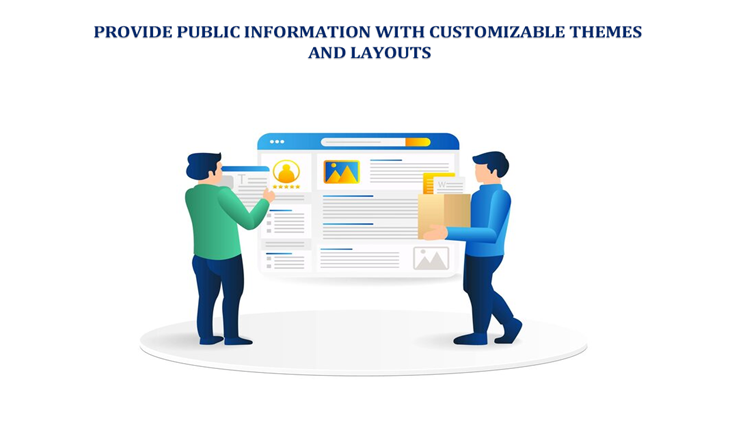
Now imagine something different. A system that adapts to you. Your eyes.abits. Your needs. Clean layout. It could be dark mode at night. Bigger fonts for tired eyes. Quick filters. Easy clicks. That’s where customizable themes and layouts come in. Not fancy extras. They’re necessary. Public information today must not just exist; it has to connect.
Importance of Public Information in the Digital Era
There’s a story here. A simple one. A father checking his phone late at night. Trying to see hospital availability. Or a student refreshing a page for exam updates. Or someone tracking COVID-19 live updates during uncertain times. These moments matter. A lot. And in those moments, design decides everything.
Public information is powerful. It shapes decisions. Daily life. Sometimes, even survival. But power means nothing if people can’t understand what they’re seeing. That’s the catch. Good systems do a few things right:
- They are clear
- They are fast
- They don’t confuse the user
Bad ones? They overload. Too much text. Too many colors. No direction. It feels like noise. And honestly, people don’t have patience anymore. If a page takes too long or looks messy, they leave.
What Are Customizable Themes and Layouts?
Let’s keep this simple. Customizable themes and layouts mean control. User control. Not developer control. You open a platform. And instead of adjusting yourself to it, it adjusts to you. That’s the idea. You might want:
- Dark mode at night. Because bright screens hurt
- Bigger text. Because not everyone sees the same
- A grid view. Or maybe just a list
- Charts instead of tables. Or tables instead of charts
And sometimes, even language. Because not everyone reads English fluently, it’s small things. But they matter. A lot more than people think. And honestly, once you get used to customization, you don’t want to go back.
Benefits of Customizable Public Information Platforms
-
Enhanced Accessibility
Not everyone interacts with screens the same way. That’s just reality. Some struggle with small fonts. Others with colors. Some need simpler layouts. Customization helps here. Quietly. Effectively.
- Bigger fonts reduce strain
- High contrast themes help visibility
- Simple layouts remove confusion
It’s not just about design. It’s about fairness. Access should be equal. But often, it’s not. These features try to fix that.
-
Improved User Engagement
People engage more when they feel comfortable. A dashboard showing Covid-19 Live Updates isn’t just data. It’s a tool. But only if people use it. Customization keeps users around. Because:
- They can filter what they want
- They can ignore what they don’t need
- They feel in control
And control creates connection. You click more. Explore more. You trust it more.
-
Better Data Comprehension
Data is tricky. Numbers alone? Useless for many people. But change the format and suddenly it clicks.
- A graph shows a trend instantly
- A map tells a story in seconds
- A table gives exact details
Different minds. Different understanding styles. That’s why layouts matter. Because one format never fits all.
-
Increased Transparency and Trust
Trust is fragile. Especially when it comes to public data. People question everything now. Sources. Accuracy. Intent. So, platforms must be clear. Open. Easy to verify. Customization helps in subtle ways:
- Users can sort and check data themselves
- They can focus on what matters to them
- They feel less manipulated
And when people feel that trust builds. Slowly, but surely.
Key Features of Effective Public Information Platforms
Good platforms share certain traits. You notice them instantly. Or maybe you don’t notice, which is even better.
- Responsive design (works on phone, tablet, anywhere)
- Real-time updates (no outdated info)
- Interactive filters (quick, smooth, useful)
- Multiple languages (because diversity is real)
- Download options (people like control over data)
It’s not complicated. But it requires thought and effort. And sometimes, that effort is missing.
Use Cases of Customizable Public Information Systems
Healthcare dashboards. These became essential during the pandemic. Everyone was checking numbers. Infection rates. Recovery stats. COVID-19 Live Updates became a daily habit. But only the well-designed dashboards worked. Others? Ignored.
Government portals. Usually boring. Hard to navigate. But when done right, they become powerful tools. Easy forms. Clear instructions. Less frustration.
Education platforms. Students need clarity. Quick access. Not clutter. A customizable layout helps them focus.
Disaster systems. These are critical. No room for confusion. Information must be fast. Clear. Direct. Customization helps people get what they need quickly.
Challenges in Implementing Customizable Systems
It’s not all easy. Not at all. There are problems. Real ones.
- Technical complexity. Building flexible systems isn’t simple
- Security risks. More features can mean more vulnerabilities
- Too many options. Users might get confused instead
- Budget limits. Not every organization can afford it.
And sometimes, teams overdo it. Too much customization. Too many choices. That creates chaos. Balance is key. But finding that balance? Not always easy.
Best Practices for Designing Customizable Public Information Platforms
There’s no perfect formula. But some approaches work better than others.
- Keep it simple. Always
- Focus on real user needs, not assumptions
- Follow accessibility rules (they exist for a reason)
- Use a clear structure. Guide the user
- Test everything. Then test again
And most important, listen. Users will tell you what works. And what doesn’t? Even if they don’t say it directly, their behavior shows it.
Future of Public Information Systems
Things are changing fast. Soon, systems won’t just be customizable, they’ll be intelligent.
- AI might adjust layouts automatically
- Voice commands could replace clicks
- Data might be shown in immersive ways
Sounds exciting. But also challenging. Because more tech doesn’t always mean a better experience. Sometimes, simple wins. Still, the direction is clear. More personalization. More interaction. Less friction.
Conclusion
Public information isn’t just about data anymore. It’s about experience. About clarity. About trust. Customizable themes and layouts are not optional features. They are essential tools. They help people understand. Engage. Act.
We saw this clearly during the rise of COVID-19 live updates platforms. The ones that worked were simple, flexible, and user-focused. The rest faded away. And that’s the lesson.
If people can’t use your platform, they won’t. No matter how important the data is. Design matters. Simplicity matters. User control matters. Always has. Maybe now, more than ever.
Author Bio:
Inam Ullah Dar is a content writer by passion and profession. He started his journey with Motif Creatives. He primarily writes for guest post articles falling under various niches. The main area of his interest and expertise is Web design & Digital marketing. He enjoys reading and writing about healthcare, mindfulness, and well-being to educate people about being happier and lively. His work has been published on many high-authority websites. He believes that writing is an effective way to communicate at better levels.
Links
Email: info@motifcreatives.co
Website: https://motifcreatives.co/
Facebook: https://www.facebook.com/CreativesMotif
Twitter: https://twitter.com/CreativesMotif
LinkedIn: https://www.linkedin.com/company/motifcreatives
Pinterest: https://www.pinterest.com/motifcreatives/
YouTube: https://www.youtube.com/@motifcreatives5870/featured